
MacAppTimeGuard
A local macOS menu-bar app for selected app limits, allowed windows, Pomodoro-required access, automatic breaks, local usage tracking, notifications, Always-On relaunch protection, and admin-protected friction.
Founder-built friction kit
A privacy-first self-control system for Mac, Chrome, iPhone, and iPad.
Built for people who keep bypassing normal blockers and need more friction between an urge and a bad decision.
One easy bypass can collapse a good intention. The kit adds several kinds of friction so the impulsive path takes longer.
Most blockers work until the moment you need them most. You try a different browser. You open incognito. You change a setting, delete an extension, switch devices, or convince yourself it is just for a minute.
That does not mean you are broken. It means your environment is giving the impulsive part of your brain a short, familiar path. Apple Lockdown Kit is designed to make that path longer, slower, and harder to take automatically.
Each part adds a different kind of friction: app-level, browser-level, device-level, setup-level, and community-level support.
A local macOS menu-bar app for selected app limits, allowed windows, Pomodoro-required access, automatic breaks, local usage tracking, notifications, Always-On relaunch protection, and admin-protected friction.
My original Mac website-blocking layer for strict domain blocks, scheduled blocks, presets, and browser-scoped allow-list sessions.
A local Chrome extension that blocks dangerous searches, page titles, typed text, form submits, and common separator or accent bypass attempts.
Configuration profiles for Chrome force-install and pinning, Chrome sign-in requirements, guest and incognito restrictions, Apple account-change friction, Screen Time pane blocking, App Store limits, Music app restrictions, and other settings.
Calm, step-by-step setup guidance for Mac, Chrome, iPhone, and iPad so you can install each layer without guessing.
Setup help, accountability, lessons, and support from people who understand why friction matters.
Mac app layer
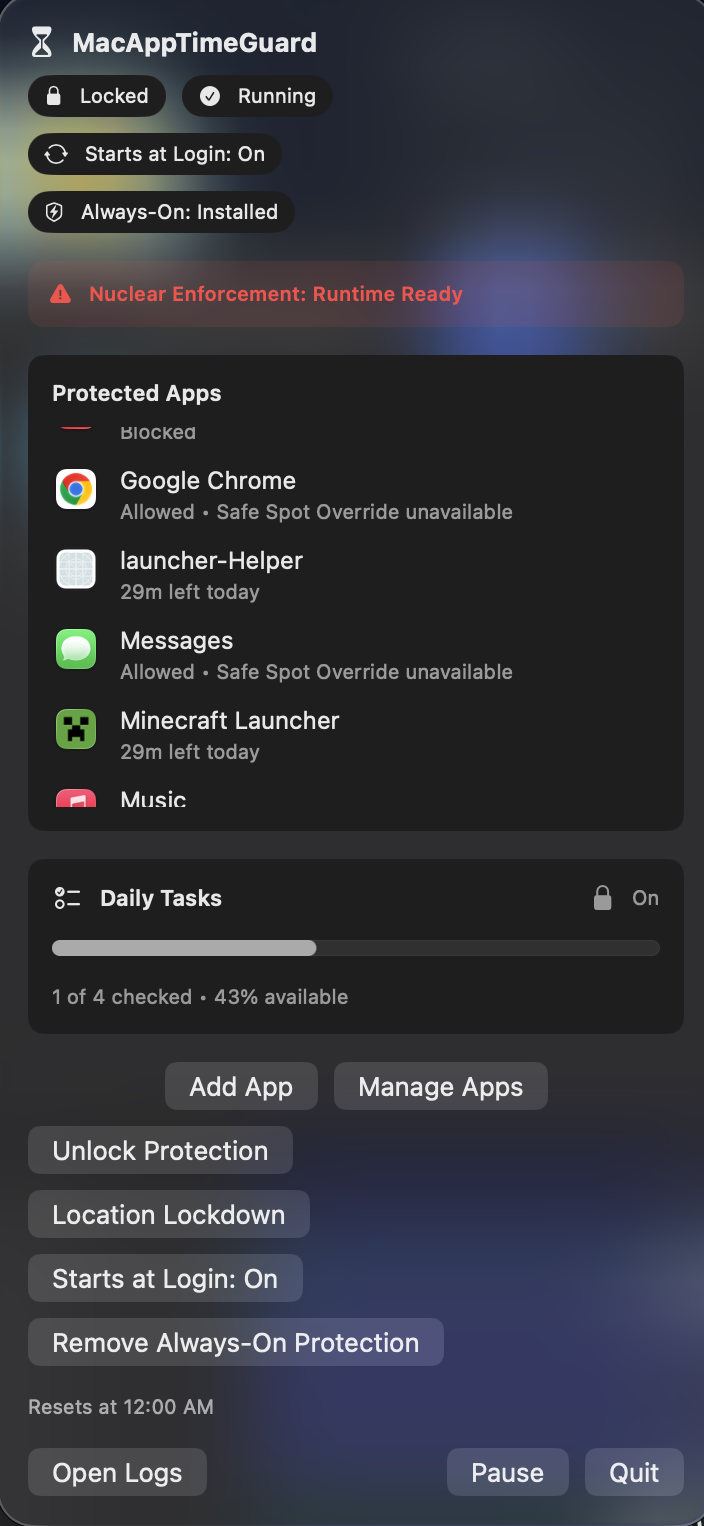
Limit distracting apps and games, create app schedules, require Pomodoro sessions, and add stronger friction when you need help staying away.
MacAppTimeGuard helps control apps and games. FocusLock DNS Guard handles website blocking and supported-browser allow lists. The Chrome Keyword Blocker lets you block specific words and searches. Apple profiles add friction, making it harder to change your settings. The guides show how to set up everything step by step and safely.
The actual compact overview for protected apps, Daily Tasks, and administrative controls.
Web blocking layer
Block distracting websites, schedule recurring focus windows, and create browser allow-list sessions—with local-first controls built for serious friction, not surveillance.
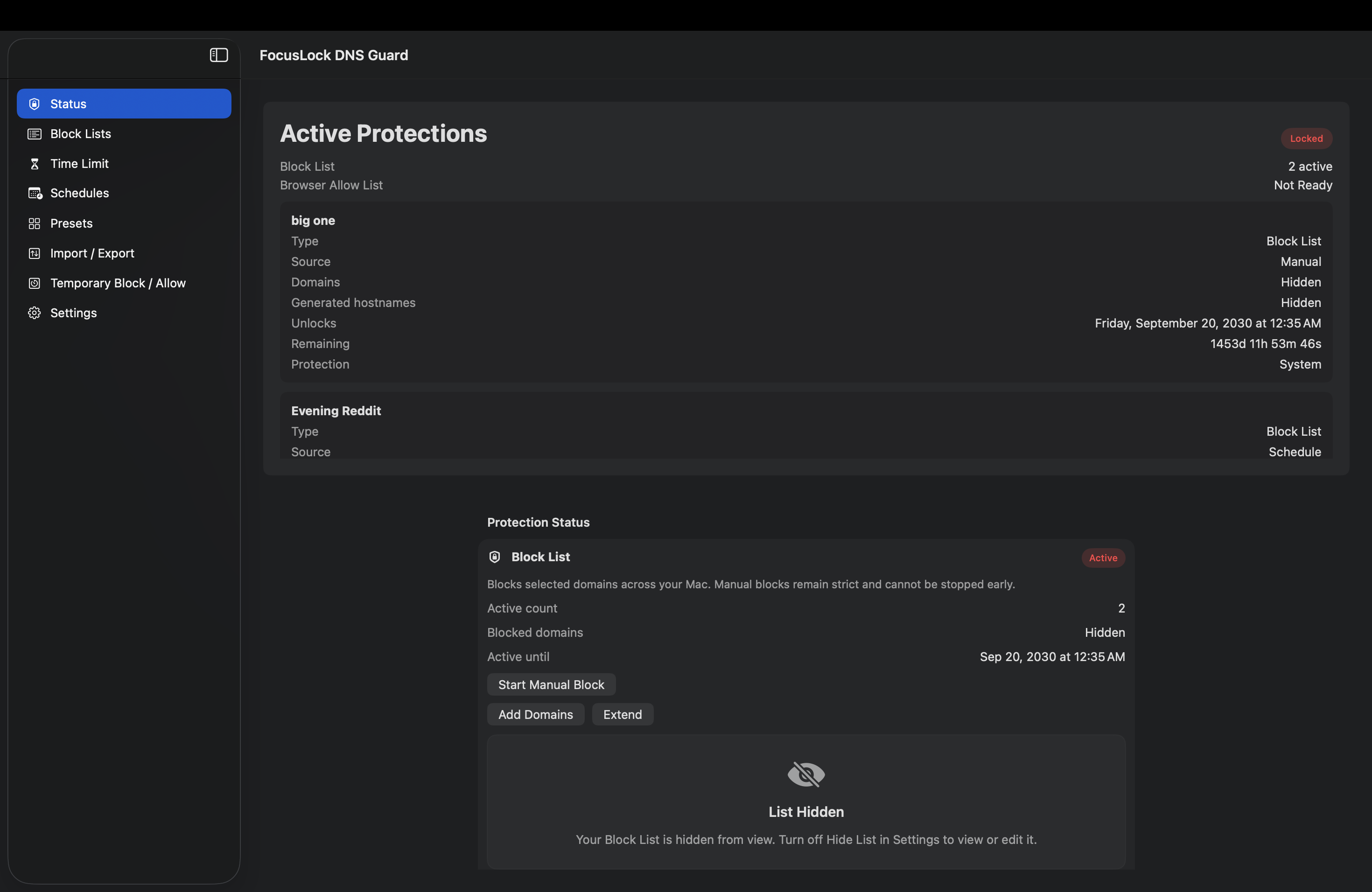
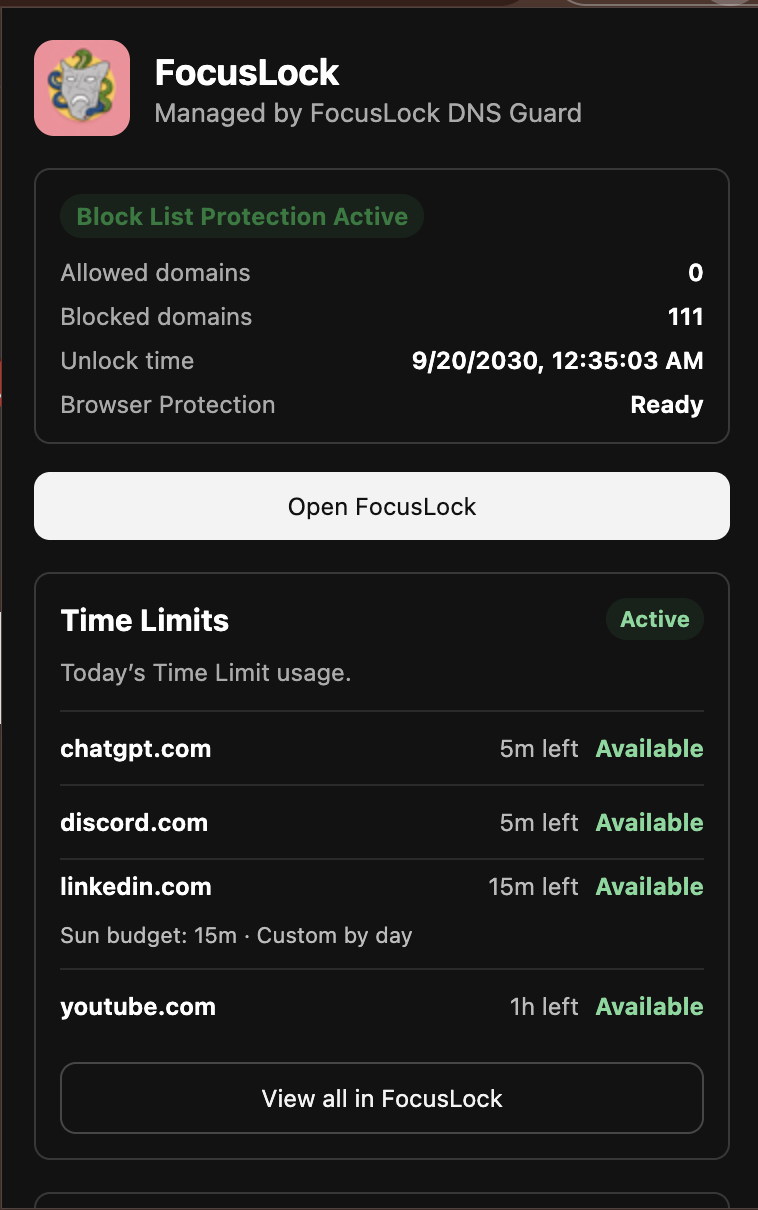
The actual DNS Guard status surface and browser companion, shown without simulated website content.
These are distinct parts of the paid kit. The included Chrome Keyword Blocker is not the same product as the separate free Personal Keyword Blocker in the company toolbox.
A local Chrome extension that blocks dangerous searches, page titles, typed text, form submits, and common separator or accent bypass attempts.
Configuration profiles for Chrome force-install and pinning, Chrome sign-in requirements, guest and incognito restrictions, Apple account-change friction, Screen Time pane blocking, App Store limits, Music app restrictions, and other settings.
Calm, step-by-step setup guidance for Mac, Chrome, iPhone, and iPad so you can install each layer without guessing.
Setup help, accountability, lessons, and support from people who understand why friction matters.
The kit is built to be followed step by step, so you are not trying to invent a system while your energy is already low.
Set local app limits, break rules, allowed windows, Pomodoro requirements, and admin-protected guardrails.
Create strict website/domain blocks, schedules, presets, and browser-scoped allow-list sessions.
Block risky searches, page titles, typed text, and form-submit paths before momentum builds.
Add device-level friction across Chrome, Apple account changes, Screen Time, App Store, and setup order.
Get help, accountability, and practical lessons as you tune the system for your real life.
Each tool handles a different responsibility. Together, the layers create pauses without pretending that software can make every bypass impossible.
The core tools are built around local friction—no surveillance or tracking of your data.
Pay once for the full kit. No recurring payments. This includes lifetime updates for any part of the kit.
I built this kit piece by piece. It is something I use every day, and I built it because I needed it. This comes from lived experience; it isn’t far-off guru advice.
Mac app control, website/domain blocking, Chrome keyword friction, Apple profiles, guides, and community support work together.
No fake guarantee language. The goal is to make bypassing slower, more visible, and less automatic.
It is built to interrupt the automatic loop, not to make human behavior magically simple. That honesty is part of the product.
One purchase for the full setup: software tools, configuration profiles, guides, safety instructions, lifetime updates to any part of the kit, and community access.
This is the full kit, not a teaser tier. The price is exact: no crossed-out number, sale countdown, or recurring charge.
Full Lockdown Kit
$40 one timeI did not build this from above the struggle. I built it because I know what it feels like to keep breaking your own promises, bypass your own blockers, and feel like willpower alone is not enough. This kit is not about shame. It is about adding structure when your brain is tired, stressed, lonely, or looking for the easiest escape.
No medical-result claims, no fake guarantee promises, and no hidden tracking. Just practical friction and honest setup help.
You get MacAppTimeGuard, FocusLock DNS Guard, the Chrome Keyword Blocker, Apple configuration profiles, Mac/Chrome/iPhone/iPad setup guides, an undo/safety guide, Discord community access, and future guide updates when available.
The kit is easy to set up because the iPhone and iPad parts use simple, smart setting leverage. All the pieces for the Mac setup are included. I also provide easy, step-by-step videos so you can install each piece safely.
Yes. The kit includes iPhone and iPad setup sections for Apple Screen Time, device restrictions, and safer setup choices. The Mac tools are separate from the iPhone/iPad steps, so the guide explains what belongs on each device.
No. Apple Lockdown Kit is a practical friction system, not medical treatment, therapy, addiction treatment, or a guarantee of recovery. It is designed to make harmful or distracting paths slower, harder, and less automatic.
Yes. A determined Mac administrator can still bypass or remove local tools outside the app. The goal is not to create an impossible prison. The goal is to add serious friction so bypassing becomes slower, harder, and less automatic.
No cloud dashboard, analytics, telemetry, or browsing-history collection is part of the kit. The Mac tools are designed to work locally. Logs and settings stay on your Mac unless you choose to share diagnostics for support. Check the current product documentation for the behavior of the version you install.
FocusLock DNS Guard is the website-blocking layer. It can block selected website domains, start locked website blocks, create recurring schedules, use built-in focus presets, and run browser-scoped allow-list sessions in supported browsers.
No. Browser Mode is browser-scoped. It works inside supported Chrome-based browsers with the FocusLock extension and Browser Bridge connected. Strict Block List mode is the stronger normal domain-blocking path for selected website domains.
FocusLock Browser Mode is built for supported Chrome-based browsers such as Chrome, Edge, and Brave. Safari and Firefox are not supported for Browser Mode in this build. The Chrome Keyword Blocker is for Chrome/Chromium-style browser use.
MacAppTimeGuard is the app-control layer. It helps limit distracting apps and games with daily limits, weekly schedules, vulnerable-hour blocks, Pomodoro sessions, temporary app locks, alerts, local logs, and admin-protected friction.
Most blockers cover one layer. This kit combines several layers: app limits, website blocking, keyword/search friction, Apple settings friction, setup guides, safety instructions, and community support. It is built as a system, not just one toggle.
Yes. The kit includes an undo/safety guide. Read it before installing configuration profiles or starting long locked blocks, so you understand how to remove or reverse each layer when it is safe to do so.
After checkout, you will receive access to the kit download and instructions. Start with the Start Here guide, read the undo/safety guide, then set up the Mac layers before moving to iPhone and iPad.
This product is for people who may already be struggling, so a subscription did not feel right. The kit is $40 one time so you can buy it once, use it, and keep access without monthly billing.
This is for Mac, Chrome, iPhone, and iPad users who keep bypassing normal blockers and want a stronger, more structured self-control setup. It is especially useful if you need friction around apps, websites, searches, settings, and vulnerable time windows.
One layer at a time
The full kit is $40 one time. Checkout is not connected yet, but every included layer, setup boundary, and limitation is documented above.
Not affiliated with Apple Inc.